How to Switch Church Website Platforms Without Losing Your Google Rankings

Switching church website platforms? Here's how to keep your Google rankings, sermon links, and "church near me" traffic through the move.
You keep your Google rankings during a church website migration by doing three things: mapping every old URL to its new home with a 301 redirect, keeping the content that already ranks, and telling Google about the move the day you launch. Rankings usually fluctuate for a few weeks after any migration. With a plan, they settle back, and often improve because the new site is faster and better structured.
If you've already decided to leave your web platform like WordPress, Squarespace, Subsplash, Ekklesia 360, or Nucleus, this might be a fear of switching: What if we launch and nobody can find us anymore? That's a fair question. A large church can have thousands of pages Google already knows about: sermons, events, staff bios, campus pages, ministry pages. Here's how to move all of it without losing the trust you've built.
Why do church websites lose rankings after a redesign?
Most ranking drops after a church website redesign have the same cause: the old URLs stopped working.
Every page Google has indexed has an address. When you move platforms, those addresses almost always change. Your old platform might have used /sermons/detail/1234, and your new one uses /messages/grace-in-the-wilderness. If nobody connects the two, Google finds a "page not found" error where a ranking page used to be. Every link pointing to that sermon from other sites, emails, and old social posts breaks too.
The other common causes:
- Content that ranked got cut or rewritten without anyone checking what was bringing in traffic.
- Page titles and meta descriptions were lost in the move and replaced with defaults.
- Everything was redirected to the homepage. It feels tidy, but Google treats a pile of unrelated redirects to one page much like broken links.
The good news: every one of these is preventable.
Step 1: What pages does Google already send people to?
Before anyone designs a single page, take inventory.
- Open Google Search Console and go to the Performance report. Export your top pages by clicks for the last 12 months. For most churches, the leaders are the homepage, plan a visit, service times, kids ministry, campus pages, and possibly some individual sermons.
- Crawl the old site with a tool like Screaming Frog or your favorite AI tool to get a full list of every live URL, including the ones that don't get much traffic.
- Check your Google Business Profile (one per campus) and note which URL each profile links to.
Now you know what's worth protecting. Mark the pages that bring in real traffic. Those are non-negotiable: they need a clear equivalent on the new site.
Step 2: How do you build a redirect map?
A redirect map is a simple spreadsheet with two columns: old URL and new URL. It's the most important document in your migration.
- Redirect one to one wherever possible. The old "Plan a Visit" page goes to the new "Plan a Visit" page. The old Student Ministry page goes to the new Students page.
- Use 301 (permanent) redirects. A 301 tells Google the page has moved for good and to pass along the trust the old page earned. Google's own site-move guidance recommends server-side permanent redirects and keeping them in place for at least a year.
- Point retired pages to their closest relative. If you're dropping the 2019 Fall Retreat page, redirect it to your current Events page, not the homepage.
- Use patterns for big sections. If hundreds of URLs share a structure (every sermon, every event), you can often redirect them with a pattern rule instead of one row at a time.
On Webflow, redirects live in Site Settings under Publishing, and you can import the whole map as a CSV instead of typing them in. That turns a two-day task into an afternoon.
Step 3: How do you move a sermon archive without breaking links?
For most churches, the sermon archive is the biggest and oldest part of the site. It's also where years of search traffic quietly lives: people searching a passage, a series name, or a guest speaker.
- Export everything you want from the old platform: title, date, speaker, series, scripture, video or audio link, and description.
- Import into a CMS collection, not static pages, so every message uses the same layout and stays easy for staff to add to.
- Keep slugs consistent and readable. If you can keep the old slug, keep it. If the structure has to change, the redirect map covers it.
- Build series pages. A page for each sermon series gives Google (and people) a clear way to move through your teaching.
Don't skip the boring part: spot-check 20 or 30 old sermon links after import and make sure each one lands on the right message.
Step 4: What should you carry over so Google keeps trusting the site?
Design changes. What Google has already learned about your pages shouldn't.
- Page titles and meta descriptions for every high-traffic page. Improve them if you like, but don't let them reset to "Home | Church Name."
- Headings and core copy on pages that rank. Rewriting is fine. Removing the words people actually search for ("Sunday service times," "kids check-in," the campus city name) is not.
- Structured data (schema). If your old site told Google your address, service times, and events through schema, your new one should too. Ideally better.
- Internal links. Update menus, footers, and in-page links to point straight to new URLs instead of leaning on redirects.
- Google Business Profile links. Update each campus profile to the new campus page on launch day. (More in our guide to local SEO for churches.)
Step 5: What should you do on launch day?
Plan for launch day before it arrives. Here's the checklist:
- All redirects imported and tested (spot-check your top 50 pages)
- New XML sitemap submitted in Google Search Console
- Search Console verified for the new site (if your domain is changing, use the Change of Address tool)
- Broken-link scan run on the new site
- Analytics tracking confirmed and recording visits
- Google Business Profile links updated for every campus
- Old platform kept accessible to your team (not deleted) for a few weeks in case you need to pull something
Then watch, don't panic. Check Search Console weekly for 4 to 8 weeks. Look at the "Pages" report for new 404 errors and fix them with additional redirects. A short dip is normal while Google recrawls. A steady drop on a specific page usually points to a missing redirect or missing content, and both are fixable.
How Sunday Best handles migration
We build every Sunday Best site with migration planned from day one: Search Console audit, full redirect map, CMS import for sermons and events, and SEO and AEO carried over and improved, not just preserved. Churches moving from WordPress, Squarespace, and Subsplash to Webflow shouldn't have to choose between a better website and being found.
If you're planning a move and want a second set of eyes on it, get a quote for your project. We'll walk through what you have and what it would take to bring it over safely.
Related Resources

How to Switch Church Website Platforms Without Losing Your Google Rankings

How to Show Planning Center Events on Your Church Website
Can AI Build Your Church Website? Why You Still Need an Expert
AEO for Churches: How to Get Found in the Age of AI Search

How to Make the Case for a New Church Website to Your Leadership

How to Choose a Church Website Agency

Local SEO for Churches: How to Show Up When People Search
Church App vs Church Website: Do You Need Both?
Church Website Accessibility: A Practical Guide for Welcoming Everyone Online
How Much Does a Church Website Cost? A Transparent Pricing Guide

WordPress vs Webflow: Why We Build Every Church Website on Webflow

Is Webflow Secure? Why Churches Can Trust Webflow for Their Website

The Ultimate Church Photography Guide
Your Church Website is the New Front Door

5 Advanced Webflow Features Large Churches Can Leverage

Visiting a Church for the First Time is hard

5 Things Every Church Website Should Include
Multi-Campus Church Websites
The Most Important Page on your Church Website
How to Edit Your Church Website in Webflow
Best Church Website Builders in 2025: A Complete Guide
SEO: A Guide for Churches

How to Write Great Website Copy

Custom vs. Template Church Websites
What is Webflow? The Best Platform for Church Websites
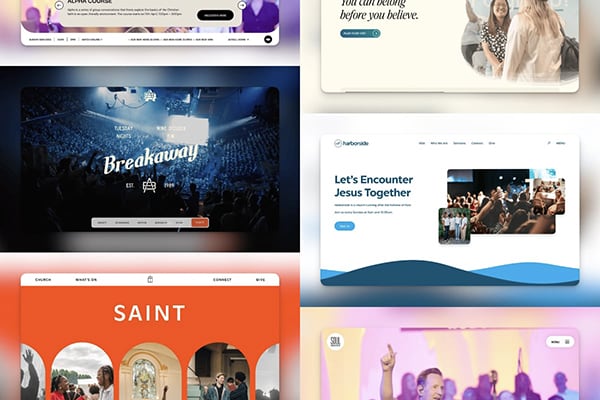
The Best Church Websites of 2024

Who is Your Church Website For?


Are you ready?
