How to Show Planning Center Events on Your Church Website

Stop entering every event twice. Here's how to show Planning Center events on your church website so they stay accurate, on-brand, and easy to find.
If your church uses Planning Center, showing events on your website has always meant choosing between two imperfect options. You can enter every event twice, or you can embed a calendar that doesn't look like your site and doesn't show up in Google search.
We weren't happy with either option. Both felt like a compromise. So we created a third way: a sync that brings your Planning Center events onto your website as native content. Your events stay accurate, look like your church, and show up in Google search.
What are the usual ways to show Planning Center events on a church website?
Traditionally, churches on Planning Center have had two choices.
Option 1: Enter events by hand on your website. Your team creates the event in PCO Registrations, then creates it again on the website: title, date, time, image, description, registration link, and so on.
Not only does this create extra work, it also creates risk when event details change, because every update has to be made in two places. When a date moves or an event fills up, someone has to remember to fix the website too. On a busy week, that second update is the one that gets skipped, and a guest shows up at the wrong time or finds last month's event. Two systems means twice the work and twice the chance for mistakes.
Option 2: Embed your events. You paste an embed from Planning Center or a third-party calendar tool onto your events page, and your events appear automatically. No double entry.
But embeds come with their own problems:
- They miss the SEO benefit. Embedded events don't show up as native content on your website, so search engines generally don't treat them as part of your pages. Your events can't help people find your church.
- They usually don't look right. Embeds rarely match your site's fonts, colors, and layout. They look like a different website dropped into yours, and they stick out.
- They don't show up in your site search. Your website's search can't see embedded content, so when someone searches your site for an event, it doesn't come up.
So churches end up choosing between accurate events and an events page that looks good and gets found. You shouldn't have to choose.
Is there a better way to show Planning Center events on our website?
Yes. That's why we built Sunday Sync, a tool that syncs your Planning Center events into your website as native content. Instead of retyping events or embedding a widget, your website pulls event data from PCO Registrations automatically and turns each event into a real page on your site.
You get what both traditional options were missing:
- Accurate. Events come straight from Planning Center, so there's nothing to update twice. It also checks PCO every 5 minutes in case event details change.
- On brand. Every event is designed like the rest of your website, with filters that match how your people think.
- Easy to find. Each event is a real page on your domain that Google can index, AI assistants can read, and your own site search can find.
How does a Planning Center events sync work?
At Sunday Best, we built a custom sync that connects PCO Registrations to the Webflow CMS. It checks for changes every five minutes. Here's what that means for your team:
- Build it once. Staff create the event in Registrations the way they already do.
- It's live in minutes. The event appears on your website with its own page, image, date, and category.
- It stays accurate. When the event changes or closes in Planning Center, the website follows.
- Registration stays in Planning Center. Guests find the event on your site, then sign up through PCO, where your team already manages sign-ups and payments.
- Simple pricing. The sync is $39/month, plus a small one-time setup fee.
You can see it working on two of our client sites:
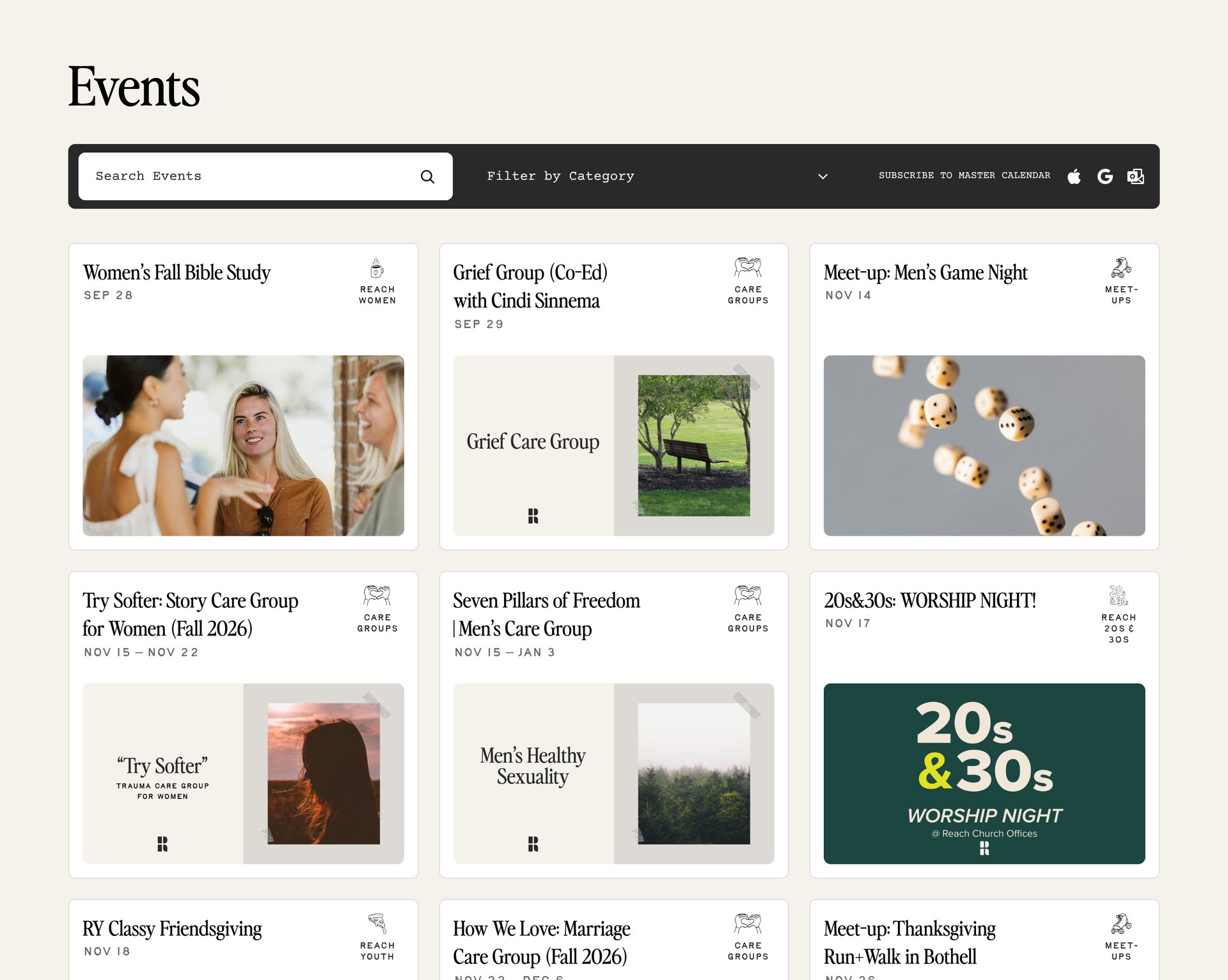
- Reach Church in Kirkland, WA: reachchurch.cc/events. Guests can filter by category, from Alpha and Home Groups to Reach Kids and Reach 20s & 30s, and every event has its own page on the church's site.
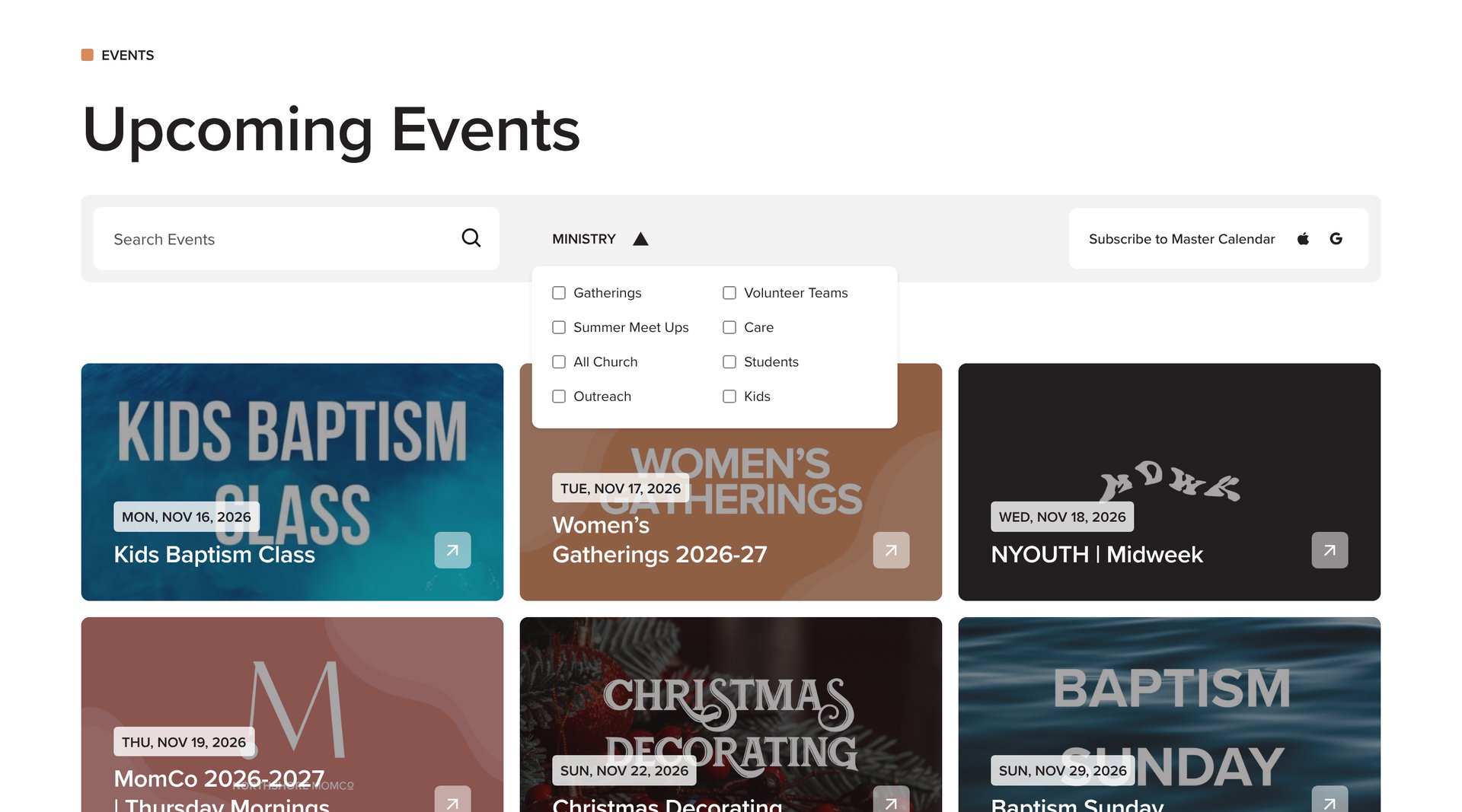
- Northshore Church: northshore.church/events. Guests can filter by ministry (Kids, Students, Outreach, Care, and more), browse upcoming events by date, and subscribe to a master calendar.
Do synced events help our church show up in search?
Yes, and this is the benefit most churches miss. An embed shows your events on the page, but the content still lives in Planning Center or a third-party tool. A synced event is native content on your own domain: a real page with its own title, description, and URL that Google can index and AI assistants can read and cite.
That matters when someone searches "Easter services near me," "VBS in [your city]," or asks an AI assistant what's happening at churches nearby this weekend. Each event page is one more way for your church to be found. Google also supports Event structured data, which can help event details like dates and locations show up more clearly in search results. Our guides to SEO for churches and AEO for churches go deeper.
What should a good church event page include?
Whether you sync or not, every event page should answer a guest's questions before they have to ask:
- What it is: a clear title and a short description written for someone who's never been
- When: day, date, and time, including the year
- Where: campus or location, with an address for off-site events
- Who it's for: the ministry, age group, or life stage
- What it costs, if anything, and whether childcare is available
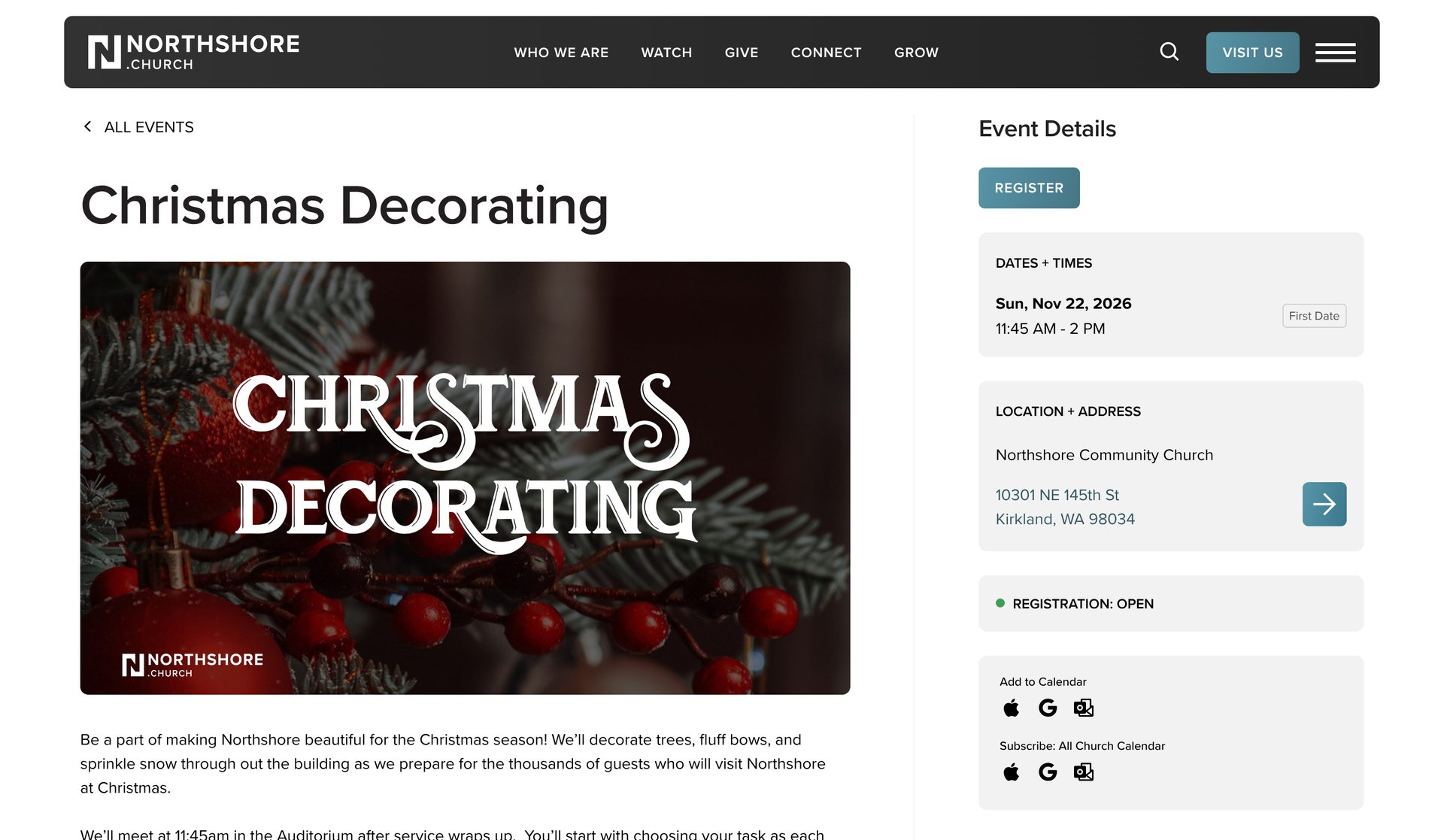
- One clear next step: a Register button that goes straight to the right Planning Center sign-up
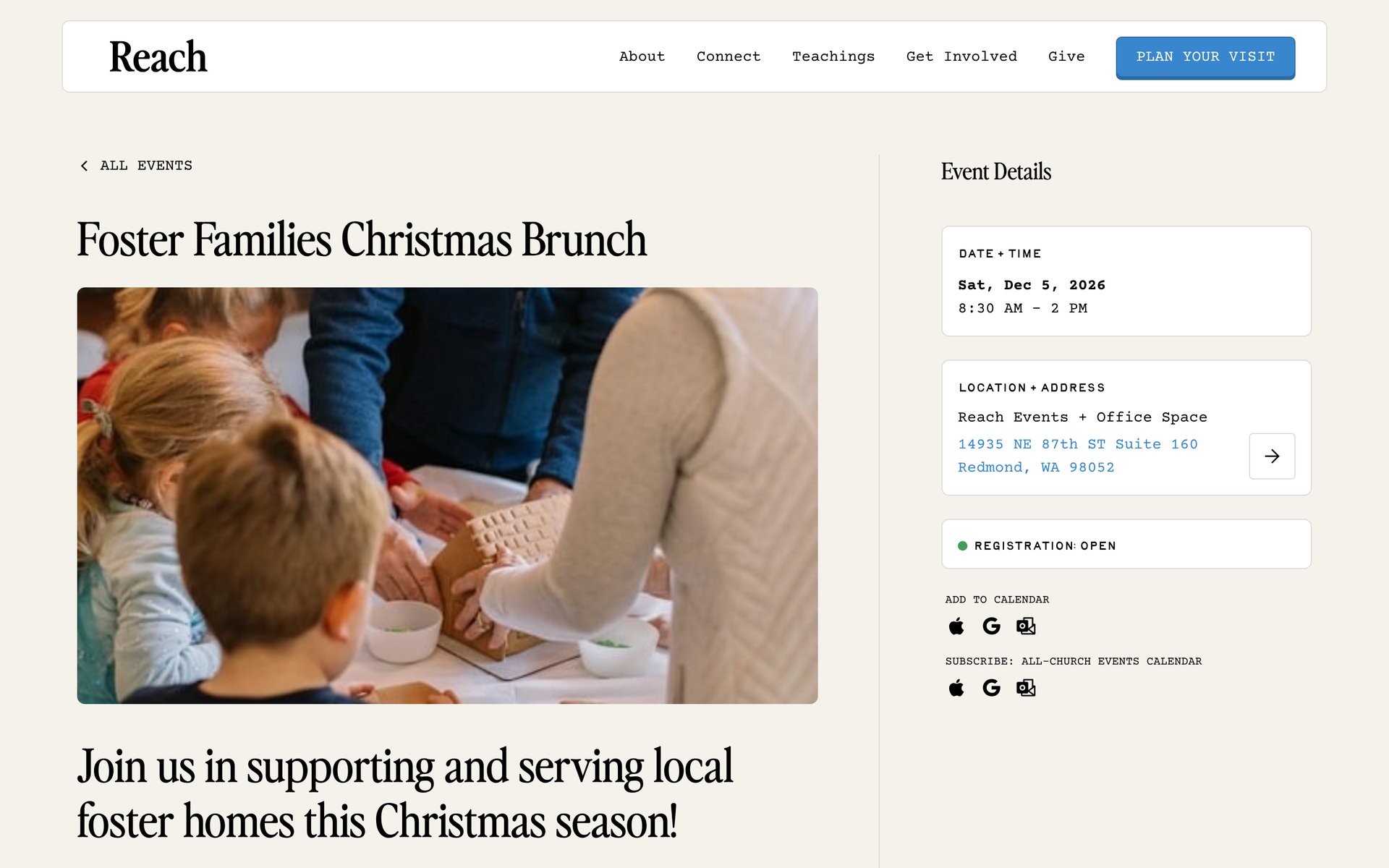
A good events list also lets people filter by ministry or category, so a parent can find kids events without scrolling past the men's breakfast. (For more on what guests look for, see what first-time visitors look for on a church website.)
What mistakes should we avoid with our events page?
- Two calendars that don't match. If the website and Planning Center are updated separately, one will drift. Make Planning Center the source of truth and let the website follow it.
- Sending people to the wrong place to register. Every Register button should go straight to that event's Planning Center sign-up, not a general calendar or your Church Center home page.
- Showing every internal event. Volunteer trainings and staff meetings crowd out what a guest needs to see. Only publish events meant for the public.
- Leaving old events up. Past events make the whole page look abandoned. A sync removes this chore.
- Burying the events page. If people can't find it from the homepage or main navigation, it won't get used.
How Sunday Best helps
We build custom Webflow websites for churches, and our PCO Registrations sync is part of how we make events easy for your staff and for your guests. Your team keeps working in Planning Center. Your website stays current on its own. The sync is $39/month plus a small one-time setup fee. If your team is tired of building every event twice, let's talk.
Related Resources

How to Show Planning Center Events on Your Church Website
Can AI Build Your Church Website? Why You Still Need an Expert
AEO for Churches: How to Get Found in the Age of AI Search

How to Make the Case for a New Church Website to Your Leadership

How to Choose a Church Website Agency

Local SEO for Churches: How to Show Up When People Search
Church App vs Church Website: Do You Need Both?
Church Website Accessibility: A Practical Guide for Welcoming Everyone Online
How Much Does a Church Website Cost? A Transparent Pricing Guide

WordPress vs Webflow: Why We Build Every Church Website on Webflow

Is Webflow Secure? Why Churches Can Trust Webflow for Their Website

The Ultimate Church Photography Guide
Your Church Website is the New Front Door

5 Advanced Webflow Features Large Churches Can Leverage

Visiting a Church for the First Time is hard
5 Things Every Church Website Should Include
Multi-Campus Church Websites

The Most Important Page on your Church Website
How to Edit Your Church Website in Webflow
Best Church Website Builders in 2025: A Complete Guide
SEO: A Guide for Churches

How to Write Great Website Copy

Custom vs. Template Church Websites
What is Webflow? The Best Platform for Church Websites
The Best Church Websites of 2024

Who is Your Church Website For?


Are you ready?
